Save up to 85% On All Software! Limited Time Offer 

software-guru-logo

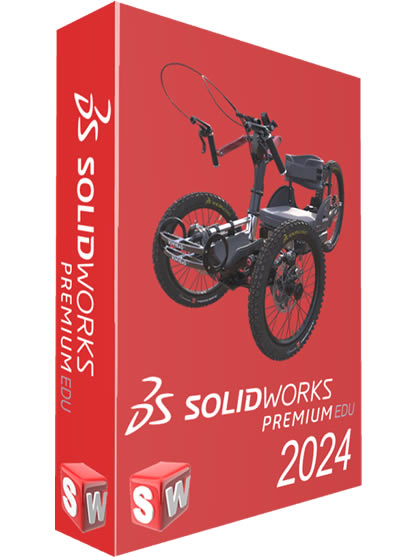
SOLIDWORKS Premium edu 2024 for Windows

Original price was: R21,599.00.Current price is: R2,250.00.

90% Off

Create anything and everything

SOLIDWORKS Premium provides superior simulation and design validation. Some of the advanced features include: motion analysis, structural part/assembly analysis, environmental impact analysis (SOLIDWORKS Sustainability), pipe/tube routing, duct routing, electrical wire/harness routing and advanced surface flattening.

All orders are delivered instantly upon purchase to your email address. Use your product only minutes after your purchase.

SOLIDWORKS Premium 2024 Windows

SolidWorks 2024 is a multi-functional CAD tool which enables users to perform different operations for producing various geometric shapes and curves, simulating the original object in 3D, applying gradients on surfaces and many more. It also provides various modules for simulation and design analysis such as Simulation, Motion, Flow Simulation, SW Composer eDrawings. It also uses advanced geometrical formulas allowing users to accurately perform complex calculations efficiently as well as enhance the creation of designs with ultimate precision. The program also offers seamless integration with other CAD applications empowering you to bring your ideas to life. It has a neatly designed interface divided into three distinct sections like Part, Assembly and Drawing. The first section is capable of drawing and designing the part, the second section can be used for assembling or mounting the designed parts together, and the third section is used for drawing the map and preparing it for printing.

SOLIDWORKS 3D CAD Capabilities

From complex design modeling, parts, and assemblies to simulation, rendering, and production-ready fast, associative, painless drawings and updates, SOLIDWORKS 3D CAD is the professional, industry standard choice to bring you from ideation to manufacturing faster and easier.

Everything You Need from Design to Manufacturing

3D model of Bowhead adaptive bike with design data - SOLIDWORKS
  • Parts, assemblies, large design review, robust modeling and more give you design and performance capabilities that push the boundaries of your imagination and can keep up with the most complex products and large assemblies.
  • Professional drawings are fast, associative, and production-ready. Whether you prefer 2D drawings or 3D annotations or you require CAM capabilities, SOLIDWORKS 3D CAD brings you from ideation to production with ease.
  • New performance and capability enhancements are released throughout the year, ensuring you are always working with the latest professional product development tools on the market.

Supercharge Your Everyday Productivity

3D Model with file data in SOLIDWORKS software
  • Specialized functionality handles everything from weldments and routing to mold design, sheet metal, and more.
  • SOLIDWORKS Toolbox covers your needs for creating holes and assembling hardware items, such as fasteners, washers, nuts, and bolts.
  • Built by engineers, for engineers. SOLIDWORKS 3D CAD has evolved by anticipating future design requirements, understanding how you want to work and implementing user-driven enhancements over 30+ years.

Turn Your Documentation Into a Conversation

3D model showing documentation of design - SOLIDWORKS
  • File sharing made easy. Share your design for review with secure links from SOLIDWORKS 3D CAD without sending a physical file and never lose control of your data.
  • Markup in 3D. Get easy feedback from stakeholders. Models can be shared for review and marked up directly by multiple people in 3D, all in a browser.
  • Remove friction for immediate feedback. Internal and external collaborators do not need to download any extra software or viewers to review your work—it is all done through SOLIDWORKS

What’s new in CorelDRAW Graphics Suite 2025?

Key Features

Time Based Motion Analysis

Easily evaluate how your product will perform and move throughout its operational cycle with motion analysis. Visualize your product moving as it would in the real world and measure the forces and loads on your design.

Piping and Tubing Design

Accelerate the development process and save time by designing piping and tubing in 3D during system design with SOLIDWORKS. By integrating piping and tubing during the design process, designers can help ensure efficient assembly, operation, and serviceability, avoiding rework, delays, and extra cost.

Linear Stress Analysis

Linear stress analysis enables designers and engineers to quickly and efficiently validate quality, performance, and safety-all while creating their design. Reduce the need for costly prototypes, eliminating rework, and save time and development costs.

Electrical Cable Harness and Conduit Design

Quickly design and route electrical wiringharnessingcabling, and conduit assemblies of products in 3D using the SOLIDWORKS Premium package. Integrating these systems during product design rather than adding them later accelerates your development process, saves time and rework costs, and helps to ensure efficient product assembly and serviceability.

Advanced Surface Flattening

Often products like leather goods, sports equipment, footwear, and products made from composite materials, like carbon fiber and fiberglass, have complex shapes, but are manufactured from materials that start out as flat stock, such as cow hides, nylon, cloth, and flat composite sheet.

With SOLIDWORKS Premium you can accurately determine or estimate the size and shape of surfaces in their flattened state in order to be able to cut the material from the flat sheet.

Routing of Rectangular and Other Sections

Route rectangular and round sections to meet your design needs. Equipment designers, product designers, machine designers, facility designers and others all need rectangular section routing to complete their designs that include ducting, cable trays, conveyors, material handling chutes, and many other systems.

Share and Markup
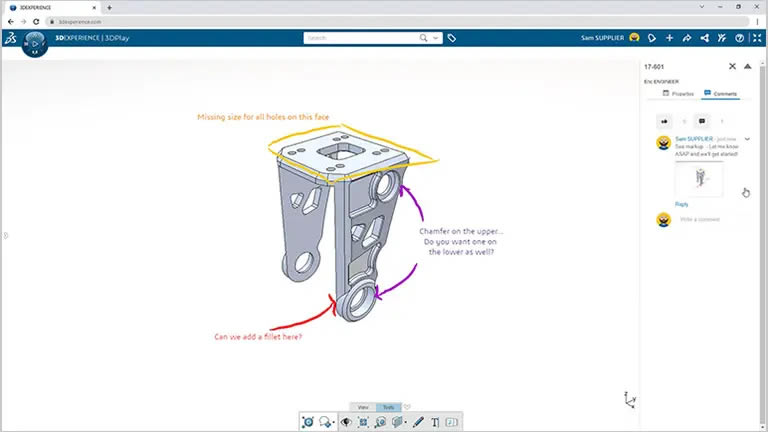
Share your 3D designs with ANYONE – directly from SOLIDWORKS. Getting real-time feedback and iterating on your work is as easy as sharing a link. Cloud Services removes the friction associated with traditional design sharing and collaboration tools.

Store and Revise
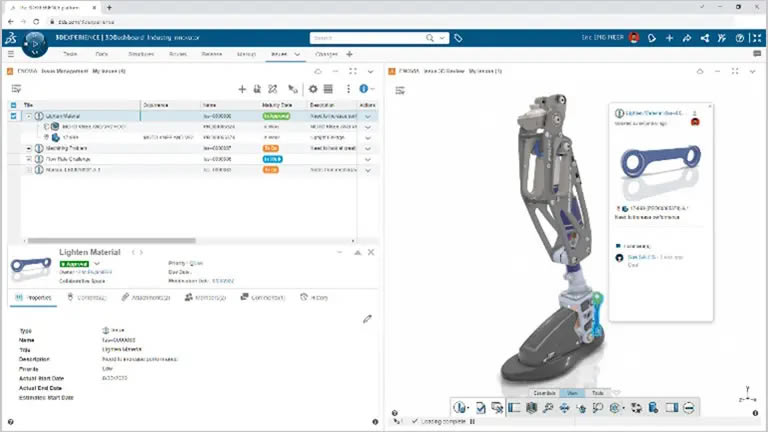
Online storage that’s purpose-built with CAD relationships and collaboration in mind. You simply save your data to the cloud right from SOLIDWORKS. If you need to work with other designers, you can lock designs to ensure no one overwrites your work, easily manage revisions, and create detailed markups with redline, measurements, and annotations.

Manage and Control
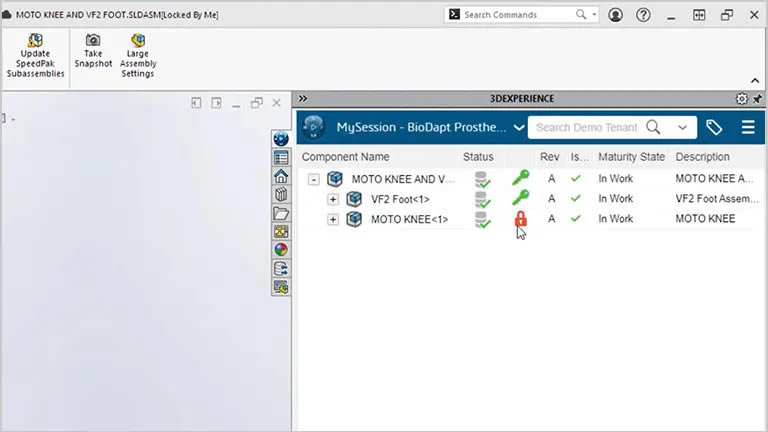
Cloud Services gives you full access to a suite of tools to help manage data, work through formal change actions and approvals, and keep project tasks in check.

As your business grows, add new roles to gain access to advanced process, project, and file management for greater control over your data and workflows.


What you get:

  • License Code
  • Download Link – Delivered Electronically Via Email
  • Instructions
  • Subscription Based – 18 Month License
Licensing & Specs
  • Subscription-based
  • 18months License

Operating System: Windows

CUSTOMER SUPPORT

100% EASY 100% FREE

We provide free support to all customers, even before you make a purchase. We pride ourselves in our customer service and make sure that you are left with nothing but satisfaction.

Reviews

There are no reviews yet.

Be the first to review “SOLIDWORKS Premium edu 2024 for Windows”

Your email address will not be published. Required fields are marked *

Go to Top