What's new in CorelDRAW Graphics Suite 2025?
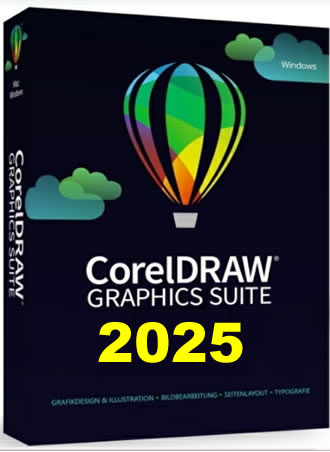
A skilled carpenter is only as good as their tools; the same goes for graphic designers. That's why we're thrilled to introduce the new CorelDRAW® Graphics Suite 2025 — the ultimate graphic design toolkit to make your creativity shine.
Whether you're a seasoned designer or just starting your creative journey, CorelDRAW ® Graphics Suite 2025 has been elevated to make your work more efficient, engaging, and powerful.
From advanced Print to PDF capabilities to our enhanced Painterly Brush tool, this release is packed with features that expand your design horizons.
Already a CorelDRAW® Graphics Suite customer? The future of design is waiting for you! Upgrade now and explore these new tools (and much more).
ADVANCED PRINT TO PDF
Transform your vector designs into stunning masterpieces with 100 pixel-based brushes controlled by vector curves. The new Painterly Brush tool gives you the best of both worlds: the realistic-looking effects of pixel strokes and the easy manipulation, scaling, and non-destructive quality of vector.
Unlike brush tools in some other applications that are either vector-only or pixel-based only, CorelDRAW's Painterly Brush tool is both, combining stunning results with smooth control.
Advanced Print to PDF capabilities
We've streamlined the way you handle professional-grade prints.
The new Advanced Print to PDF feature in CorelDRAW and Corel PHOTO-PAINT eliminates the need for external software, saving you time and effort.
From tiling designs across pages to binding, adding registration marks, and enabling separations, this built-in feature ensures your creations are print-ready in no time.
How it works
Select 'Corel Print to PDF' in the print dialog to tile your design across multiple pages, gangpages into N-up layouts, control spread and binding, add registration marks and page numbers, enable separations, and more.
Printing artwork to a PDF file allows you to send it directly to your print provider without extra steps.
In this video, you'll learn about:
- Color separations: Essential for cost-effective offset printing and generating CMYK plates for accurate reproduction.
- Layout control: Arrange multiple designs (e.g., 4×4 business card sheets) with adjustable margins, gutters, and printer marks.
- Enhanced previews: See precise printer marks and separations before finalizing.
Learn more in our Print to PDF tutorial.
Brush like an artist with an enhanced Painterly Brush tool
Designers know the magic happens in the details.
Our Painterly Brush tool has been enhanced to accelerate your artistry.
With additional brush controls, improved blending, and compatibility with other tools, you can now bring your visions to life faster and with greater precision.
How it works
To activate the Painterly Brush tool, click the Artistic Media tool group icon on the left toolbar or press the shortcut key 'J'.
Then, click the Brush picker dropdown on the property bar to explore a wide range of brush categories.
Whether you prefer the rich textures of oils and acrylics, the fluid elegance of watercolors, the precise detailing of airbrushing, or the versatility of dry materials like pencils, pastels, and chalks, there's a brush for your creative needs.
You'll also find digital effects and innovative physics-based particle brushes.
Watch our tutorial to learn more about how our Painterly Brush tool works.
Your feedback matters, and we've listened.
CorelDRAW® Graphics Suite includes performance upgrades and top-notch quality improvements across the board.
Highlights include:
- Direct Google Fonts access for faster typography workflow.
- Enhanced security updates to safeguard your projects.
- Improved performance to make every click count.
We've also taken extra steps to resolve common customer requests, ensuring this upgrade truly works for you.
Remote fonts
Preview online fonts directly within CorelDRAW and Corel PHOTO-PAINT™ without needing to install them. When you use a remote font, it's automatically downloaded for immediate use. Explore a world of typography possibilities at your fingertips.
Non-destructive bitmap effects
Enjoy a seamless and consistent non-destructive effects workflow across CorelDRAW and Corel PHOTO-PAINT. Apply and edit bitmap effects without altering the original image and control all effects and adjustments from one place. No more dialog boxes blocking your view of the workspace.
Optimized performance and stability
We're committed to ensuring your product feedback is reflected in our development roadmap. Based on direction and guidance from our valued customers, you'll experience notable improvements to performance and stability, as well as refinements to your frequently used features.
Additional Content includes
- 7000 clip art, digital images, and vehicle templates
- 1000 high-resolution digital photos
- Over 1000 TrueType and OpenType fonts
- 500+ professional templates
- Over 600 fountain, vector, and bitmap fills
System Requirements and Technical Details
- Windows 11 or Windows 10 (Version 21H1 or later), 64-bit, with the latest Updates
- Intel Core i3/5/7/9 or AMD Ryzen 3/5/7/9/Threadripper, EPYC
- OpenCL 1.2-enabled video card with 3+ GB VRAM
- 8 GB RAM
- 5.5 GB hard disk space for application and installation files








Reviews
There are no reviews yet.