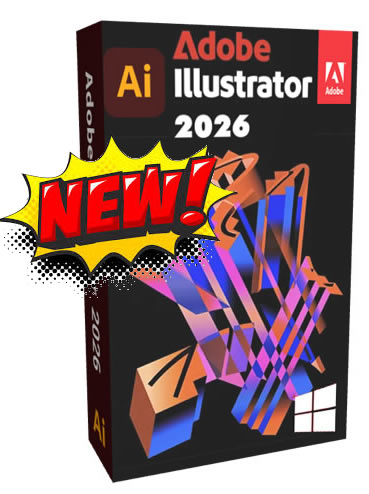
Overview of Adobe Illustrator 2026
Adobe Illustrator 2026 continues to elevate its reputation as the professional vector-based art solution for tasks such as logo design, typographic layouts, packaging mockups, and illustration work. This version continues to perfect your workflows with responsive canvas updates and further integration of AI design capabilities. Adobe Illustrator 2026 version continues to follow the same intentionally designed concept of creating artwork with vector-based paths, meaning a designer has the same crisp edges or clean edges to their piece of art, regardless of whether the artwork is being shown in a digital icon, on a large sign or mural in a public space, or somewhere in between. Adobe Illustrator 2026 version introduces updated AI-assisted vector tools powered by Adobe Firefly. Instead of a designer drawing in free-form from a completely blank canvas, a designer can create something once they describe it with a short prompt indicating a basic shape or object.
Advanced Vector Graphics Creation
Adobe Illustrator 2026 excels at creating scalable vector graphics that maintain perfect clarity at any size. Whether you’re designing a business card or a billboard, your artwork will remain crisp and professional. The precision tools allow you to create complex shapes, intricate patterns, and detailed illustrations with mathematical accuracy.
The pen tool, Illustrator’s signature feature, has been refined to provide even more intuitive control. New users find it easier to master, while experienced designers appreciate the enhanced precision and responsiveness. You can create smooth curves, sharp corners, and everything in between with unprecedented control.
Typography and Text Manipulation
Transform ordinary text into extraordinary typographic art. Illustrator 2026 includes advanced text tools that let you manipulate fonts in ways that would be impossible with traditional word processors. Create text that follows curved paths, apply gradient fills to individual letters, or convert text to outlines for complete customization.
The enhanced font management system helps you organize and preview fonts more efficiently. With improved font search capabilities and visual previews, finding the perfect typeface for your project becomes effortless.
Color Management and Gradients
Work with colors like never before with Illustrator’s sophisticated color management system. The expanded color palette options include support for the latest color standards, ensuring your designs look perfect both on screen and in print.
The gradient tools have been significantly improved, allowing you to create complex, multi-color gradients with smooth transitions. Whether you need subtle shadows or bold color effects, the gradient system provides precise control over every aspect of color blending.
Artboard Management
Modern design projects often require multiple versions or layouts. Illustrator 2026’s enhanced artboard system lets you work with multiple designs within a single document. Create variations of logos, design responsive web layouts, or develop complete brand identity systems – all within one organized workspace.
The artboard tools make it easy to duplicate designs, resize layouts, and export individual artboards for different applications. This workflow efficiency saves hours on complex projects.
Symbol Libraries and Asset Management
Build comprehensive symbol libraries that speed up your design process. Create once, use everywhere – symbols automatically update across your entire document when modified. This feature is invaluable for maintaining consistency across large projects or brand guidelines.
The asset management system helps organize colors, fonts, and graphics for easy reuse and sharing with team members. Consistent branding becomes effortless when all your brand elements are properly catalogued and accessible.
Advanced Path Tools
Illustrator’s path tools provide unmatched control over vector shapes. The improved pathfinder operations let you combine, subtract, intersect, and divide shapes with precision. Complex logo designs that once required hours can now be completed in minutes.
The enhanced anchor point tools make editing paths more intuitive. Add, remove, or modify points with greater precision, and use the improved curve handles to create exactly the shapes you envision.
Integration with Adobe Creative Cloud
While you own your software outright, you still benefit from seamless integration with other Adobe products. Import Photoshop images with layers intact, create animations that export perfectly to After Effects, or prepare designs for layout in InDesign.
This integration eliminates the time-consuming conversion processes that plague designers using different software packages. Your workflow becomes smoother and more efficient.
Export and File Format Support
Illustrator 2026 supports an extensive range of file formats, ensuring compatibility with virtually any application or platform. Export to PNG, JPEG, SVG, PDF, EPS, and many other formats with optimal quality settings for each use case.
The enhanced export options include preset configurations for web, print, and mobile applications. One-click exporting saves time while ensuring your designs are optimized for their intended use.
Perfect Compatibility: Windows 10 and 11
Our version of Adobe Illustrator 2026 is specifically optimized for Windows 10 and 11, ensuring smooth performance across both operating systems. Whether you’re running the latest Windows 11 with its modern interface or sticking with the stability of Windows 10, you’ll experience optimal performance.
The software takes advantage of Windows’ latest performance enhancements, including:
- Improved memory management for handling large, complex designs
- Enhanced GPU acceleration for smoother real-time previews
- Better touch screen support for Windows tablets and convertible laptops
- Optimized performance on both traditional displays and high-DPI monitors
Technical Specifications and System Requirements
- Compatibility: Windows 10 (64-bit) version 1909 or later, and Windows 11.
- Processor: Intel or AMD processor with 64-bit support; 2 GHz or faster processor.
- RAM: 8 GB of RAM (16 GB recommended).
- Hard Disk Space: 4 GB of available hard-disk space for installation; additional free space required during installation.
- Graphics Card: GPU with DirectX 12 support and 2 GB of GPU memory (4 GB recommended for 4K displays).









Reviews
There are no reviews yet.